Integrator Notes
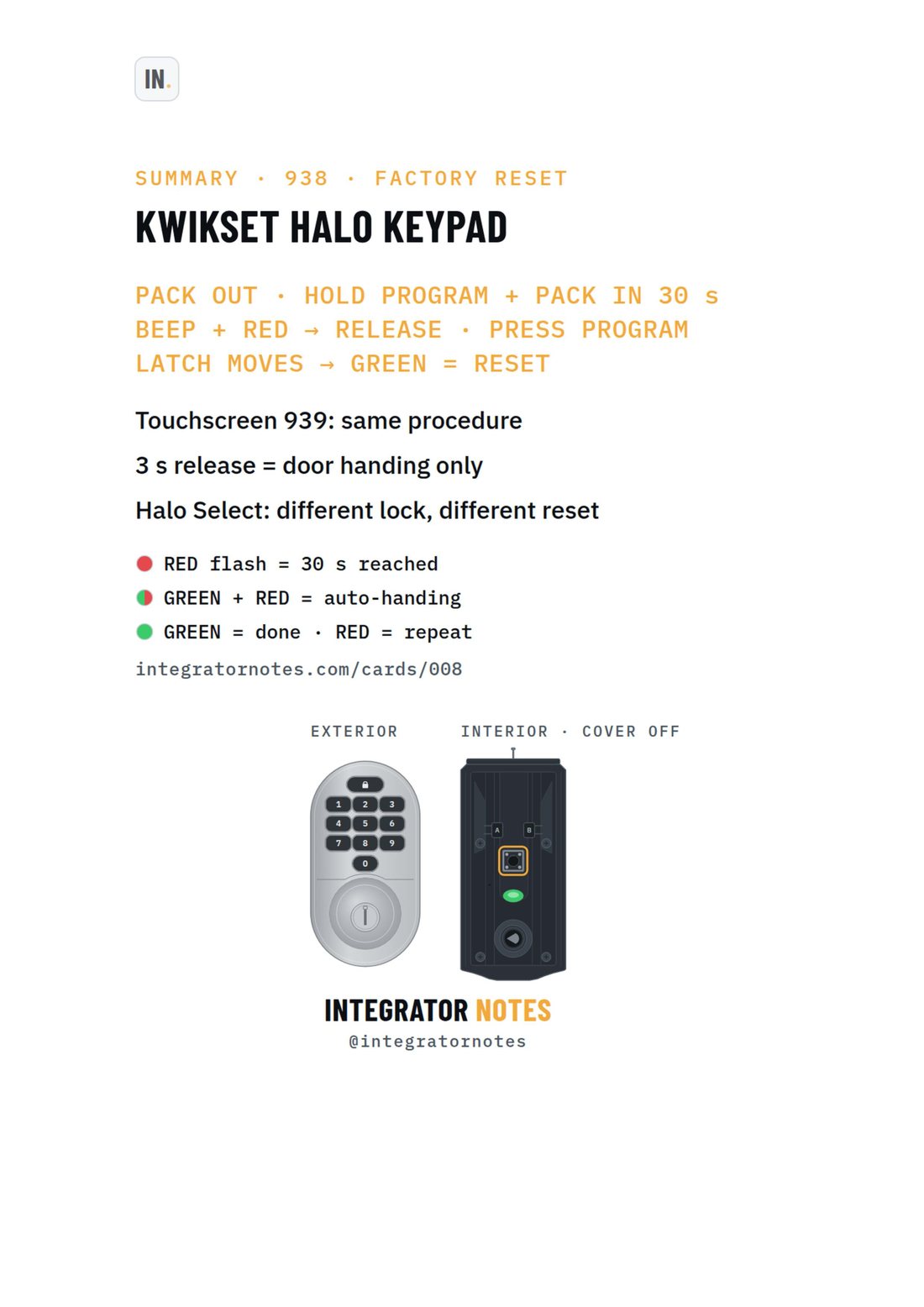
Field card 008, Halo Wi-Fi keypad · touchscreen: PACK OUT · HOLD PROGRAM + PACK IN 30 s, BEEP + RED → RELEASE · PRESS PROGRAM, LATCH MOVES → GREEN = RESET
A4 · PDF · prints in black and white Open full size
KwiksetFactory resetCard 008

Kwikset Halo Wi-Fi keypad · touchscreen

Factory reset (hold Program + battery pack in)

Bench check pending

Written from official documentation and dealer sources, not yet run on our bench. Confirm on your hardware before a reset you can't undo.

The sequence

  1. PACK OUT · HOLD PROGRAM + PACK IN 30 s
  2. BEEP + RED → RELEASE · PRESS PROGRAM
  3. LATCH MOVES → GREEN = RESET

Good to know

  • Touchscreen 939: same procedure
  • 3 s release = door handing only
  • Halo Select: different lock, different reset
More field cards

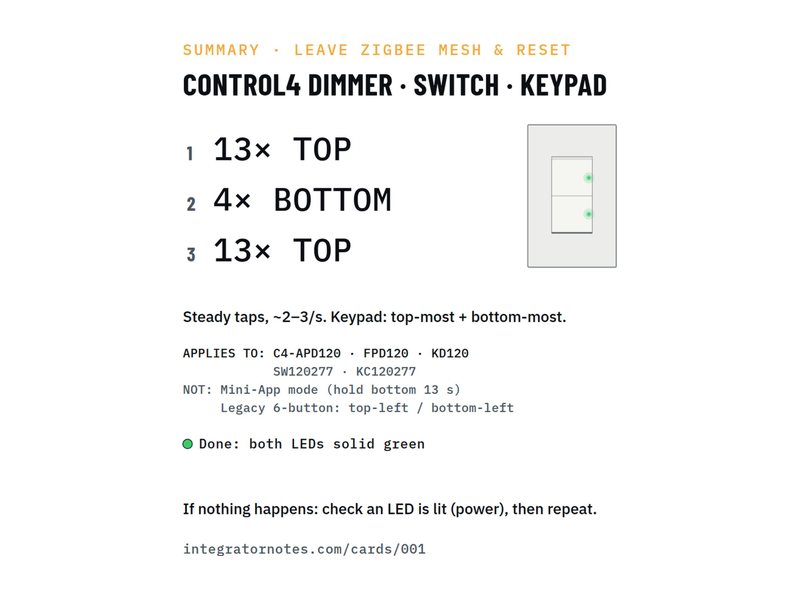
  • Field card 001: In-wall dimmer · switch · keypad
    No. 001Control4Factory reset

    In-wall dimmer · switch · keypad

    Leave the Zigbee mesh and reset (13-4-13)

    1. Tap the TOP button 13×
    2. Tap the BOTTOM button 4×
    3. Tap the TOP button 13×
    Bench check pending
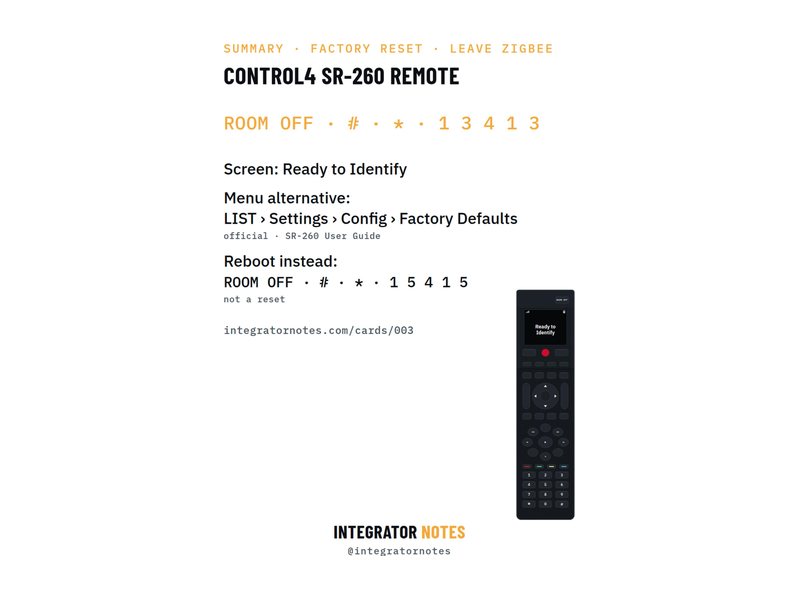
  • Field card 003: SR-260 system remote
    No. 003Control4Factory reset

    SR-260 system remote

    Factory reset and leave Zigbee

    1. Press ROOM OFF
    2. Then # and *
    3. Then 1 · 3 · 4 · 1 · 3
    Bench check pending
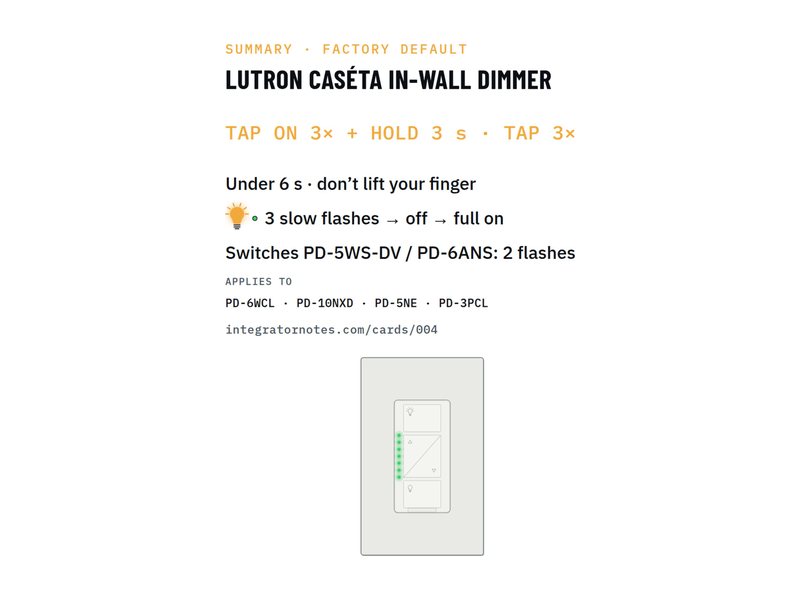
  • Field card 004: Caséta in-wall dimmer · switch
    No. 004LutronFactory reset

    Caséta in-wall dimmer · switch

    Factory default (tap 3× + hold · tap 3×)

    1. TAP ON 3× + HOLD 3 s
    2. TAP 3×
    Bench check pending
Download PDF