The last frame,
on paper.
Every Integrator Notes video ends on one card with the whole sequence. Here they are as free A4 PDFs: pause the video on site, or print the card and keep it in the truck.
- 22Field cards
- 10Brands
- A4PDF · free
Watch
30–75 s vertical video. One procedure, the exact model in the title, LEDs in their real colours, taps at real speed.
Pause
The last frame holds the whole sequence. Pause it and follow along at the device, step by step.
Print
Each video has its card here, free, no sign-up. A4 PDF that prints clean in black and white.
Field cards
22 field cards
-
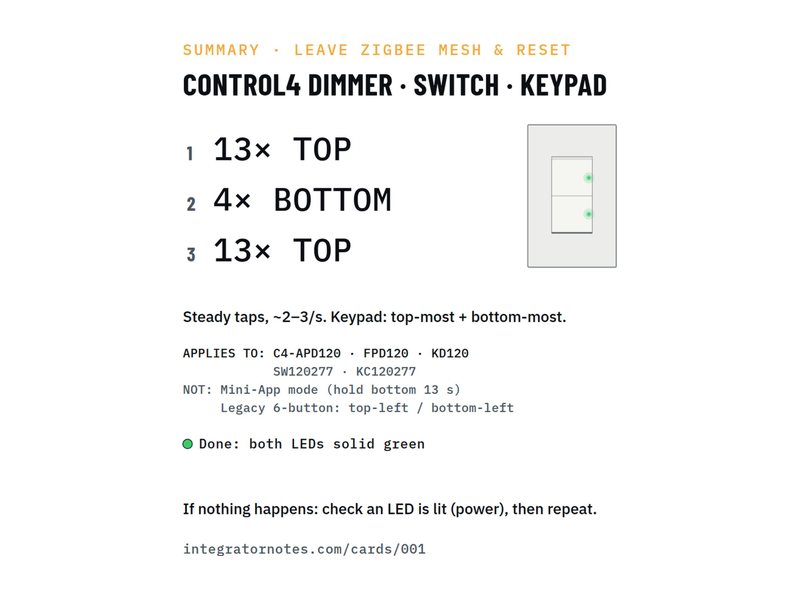
In-wall dimmer · switch · keypad
Leave the Zigbee mesh and reset (13-4-13)
- Tap the TOP button 13×
- Tap the BOTTOM button 4×
- Tap the TOP button 13×
Bench check pending -
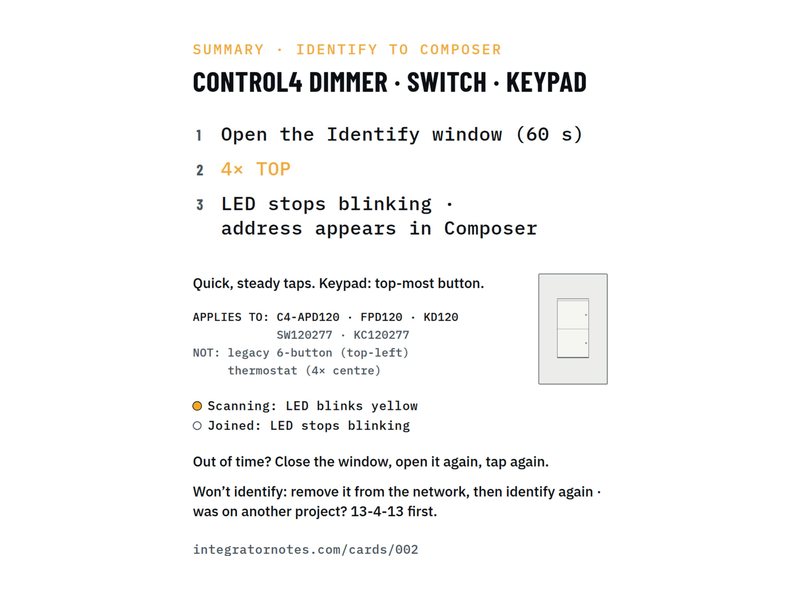
In-wall dimmer · switch · keypad
Identify to Composer (4× TOP)
- Tap the TOP button 4×
Bench check pending -
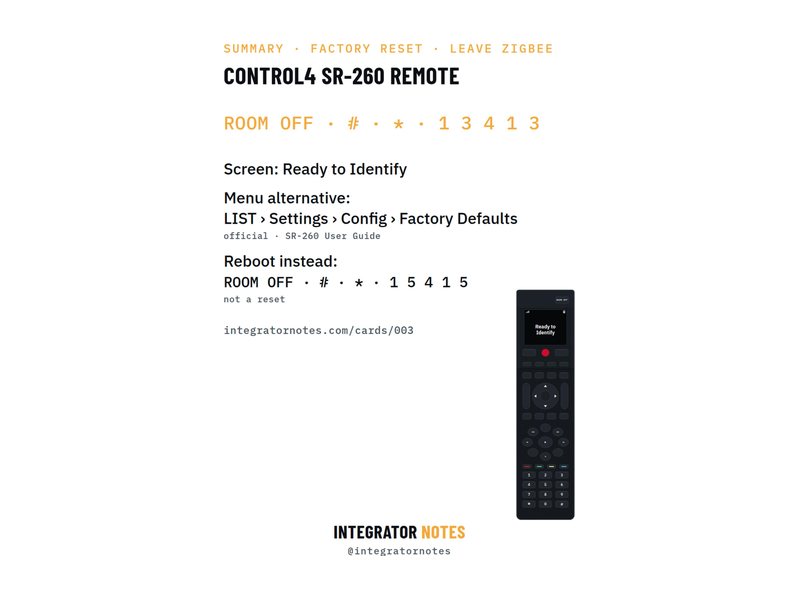
SR-260 system remote
Factory reset and leave Zigbee
- Press ROOM OFF
- Then # and *
- Then 1 · 3 · 4 · 1 · 3
Bench check pending -
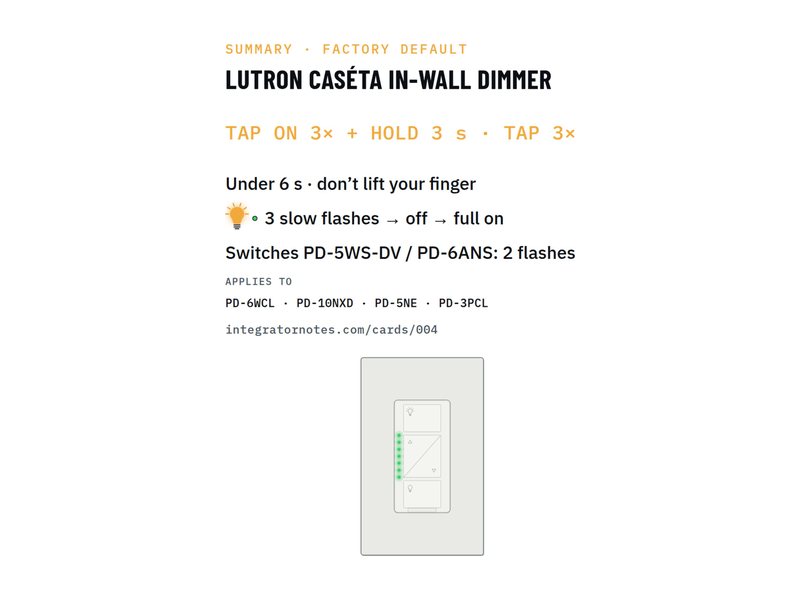
Caséta in-wall dimmer · switch
Factory default (tap 3× + hold · tap 3×)
- TAP ON 3× + HOLD 3 s
- TAP 3×
Bench check pending -
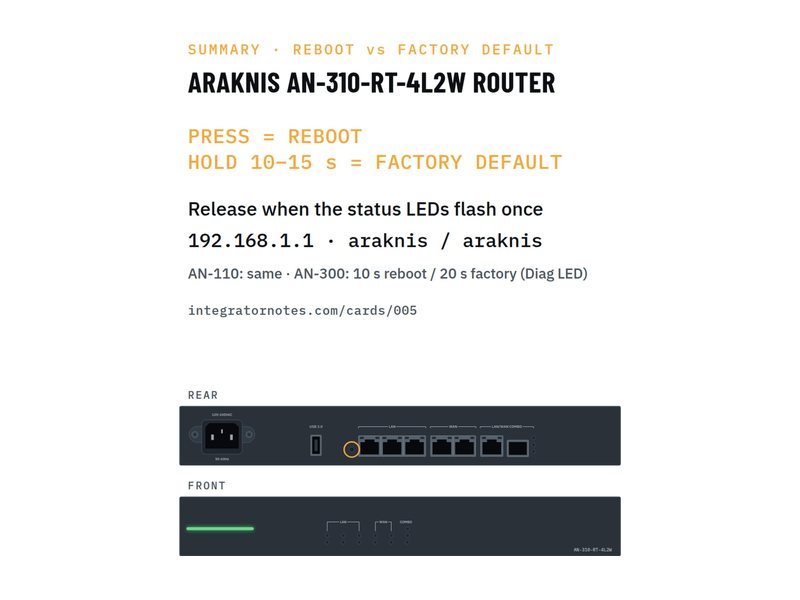
AN-310-RT router
Reboot vs factory default with the RESET button
- PRESS = REBOOT
- HOLD 10–15 s = FACTORY DEFAULT
Bench check pending -
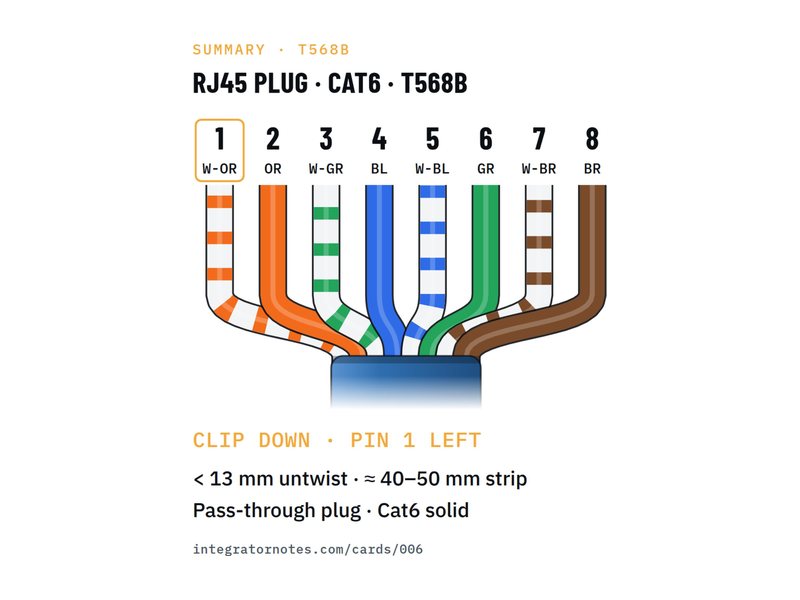
RJ45 plug · Cat6 · T568B
Pass-through crimp in 45 seconds
- Strip 40–50 mm of jacket
- Cut the spline, untwist the pairs
- Order T568B, flatten
- 3 more steps
Bench check pending -
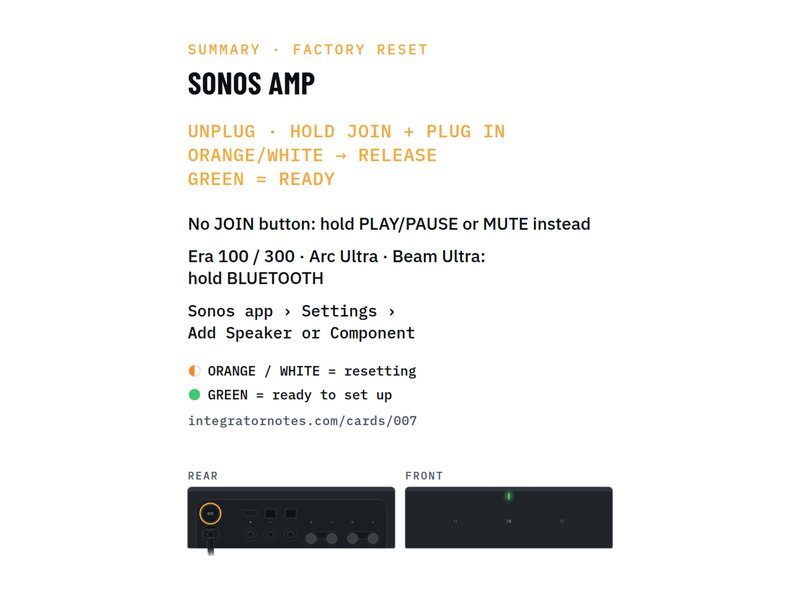
Sonos Amp
Factory reset (hold Join while plugging in)
- UNPLUG · HOLD JOIN + PLUG IN
- ORANGE/WHITE → RELEASE
- GREEN = READY
Bench check pending -
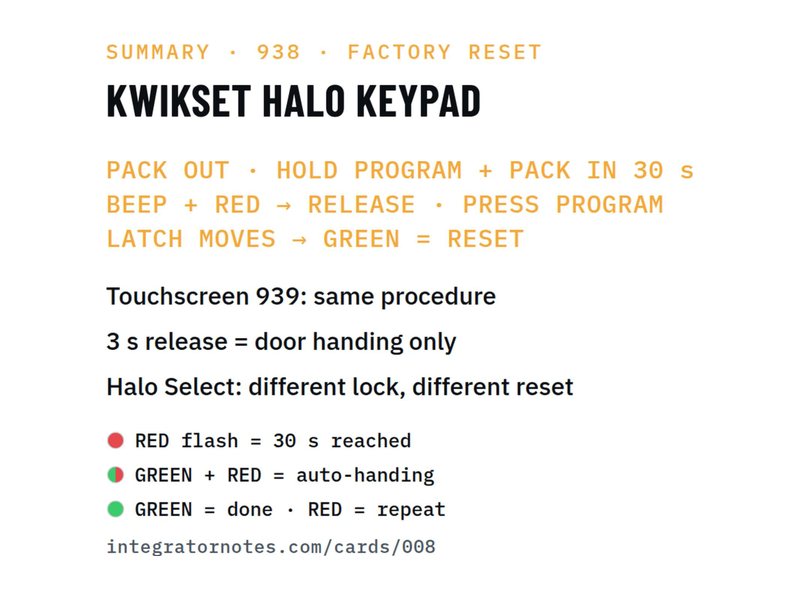
Halo Wi-Fi keypad · touchscreen
Factory reset (hold Program + battery pack in)
- PACK OUT · HOLD PROGRAM + PACK IN 30 s
- BEEP + RED → RELEASE · PRESS PROGRAM
- LATCH MOVES → GREEN = RESET
Bench check pending -
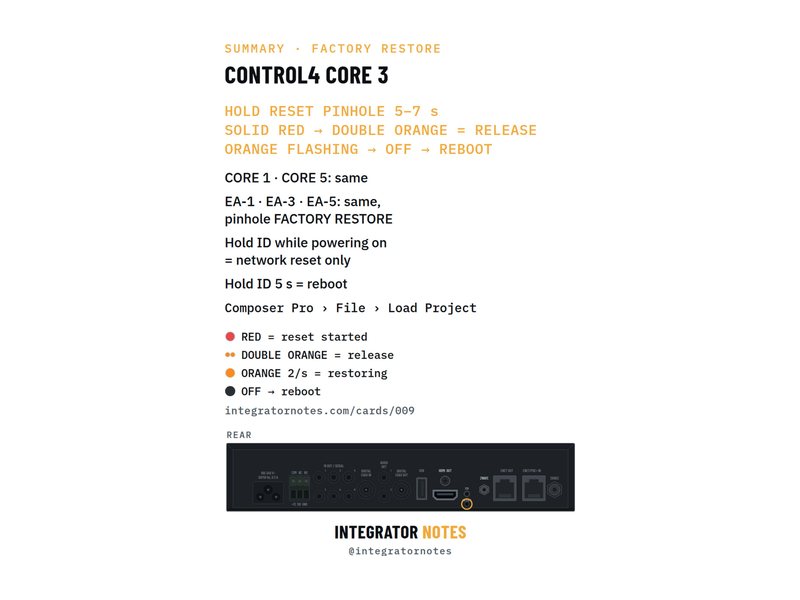
CORE 3 · CORE 5 · EA-5 controller
Factory restore with the RESET pinhole
- HOLD RESET PINHOLE 5–7 s
- SOLID RED → DOUBLE ORANGE = RELEASE
- ORANGE FLASHING → OFF → REBOOT
Bench check pending -
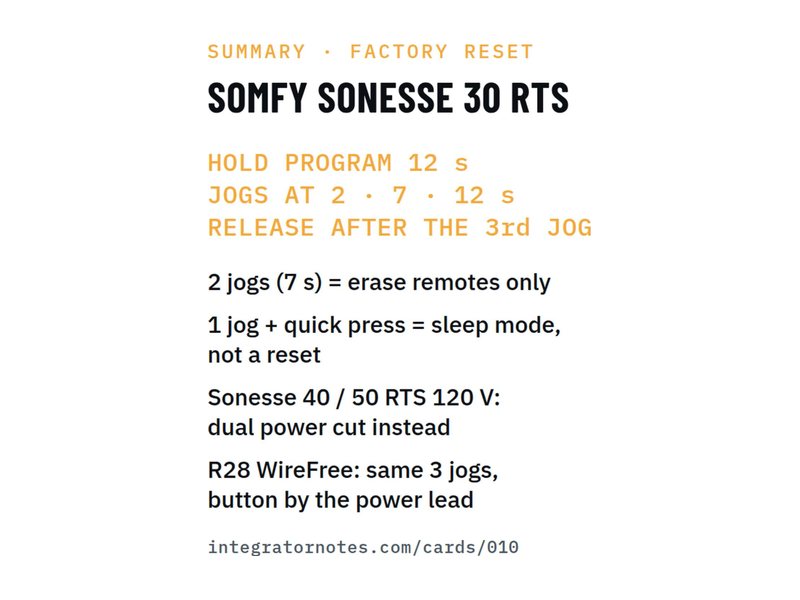
Sonesse 30 RTS motor
Factory reset (hold PROGRAM 12 s, 3 jogs)
- HOLD PROGRAM 12 s
- JOGS AT 2 · 7 · 12 s
- RELEASE AFTER THE 3rd JOG
Bench check pending -
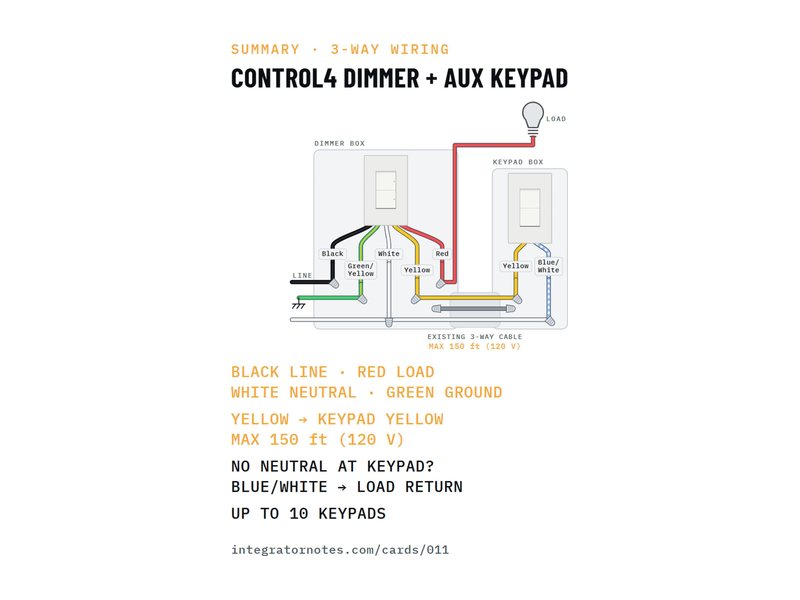
Dimmer + C4-KA auxiliary keypad
3-way wiring in 6 wires
- Line → dimmer BLACK
- Load → dimmer RED
- Neutrals → dimmer WHITE (+ keypad BLUE/WHITE)
- 3 more steps
Bench check pending -
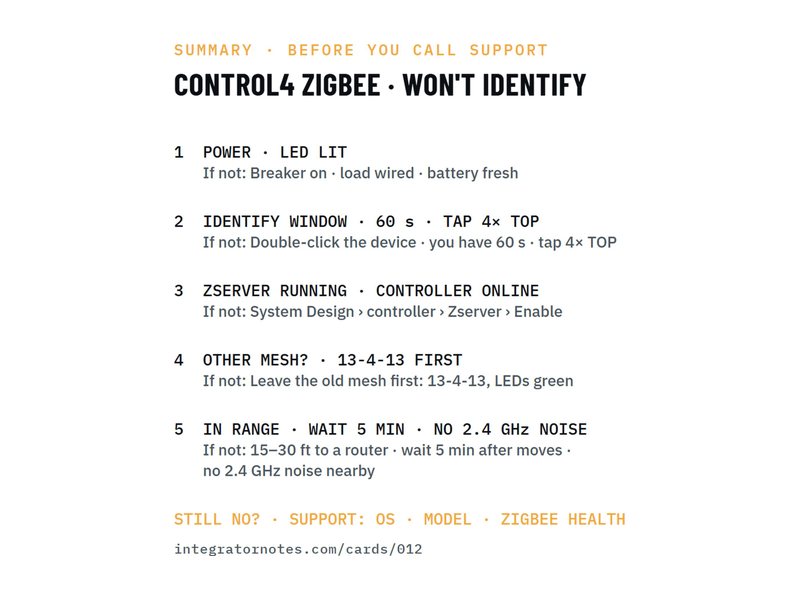
Zigbee device won't identify
5 checks before you call support
- POWER · LED LIT
- IDENTIFY WINDOW · 60 s · TAP 4× TOP
- ZSERVER RUNNING · CONTROLLER ONLINE
- 2 more steps
Bench check pending -
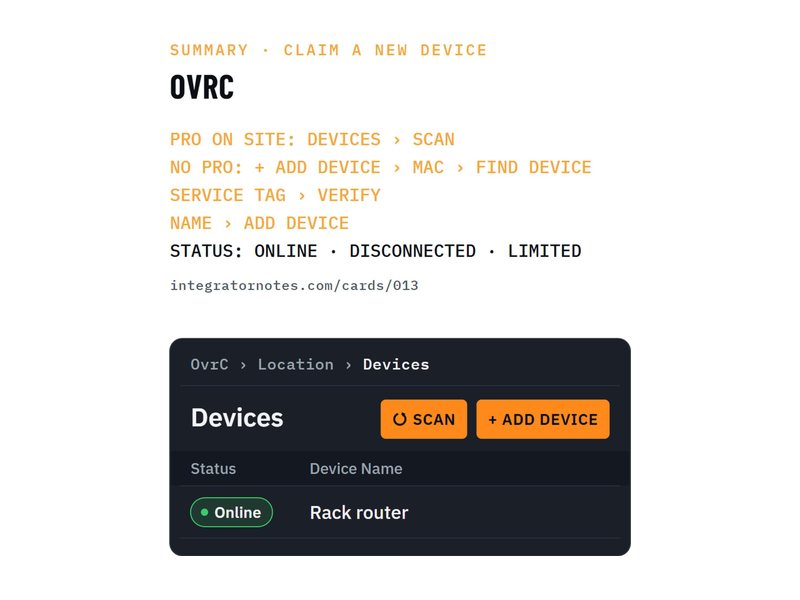
OvrC · new device
Claim it with a Pro scan, or MAC + service tag
- PRO ON SITE: DEVICES › SCAN
- NO PRO: + ADD DEVICE › MAC › FIND DEVICE
- SERVICE TAG › VERIFY
- 1 more step
Bench check pending -
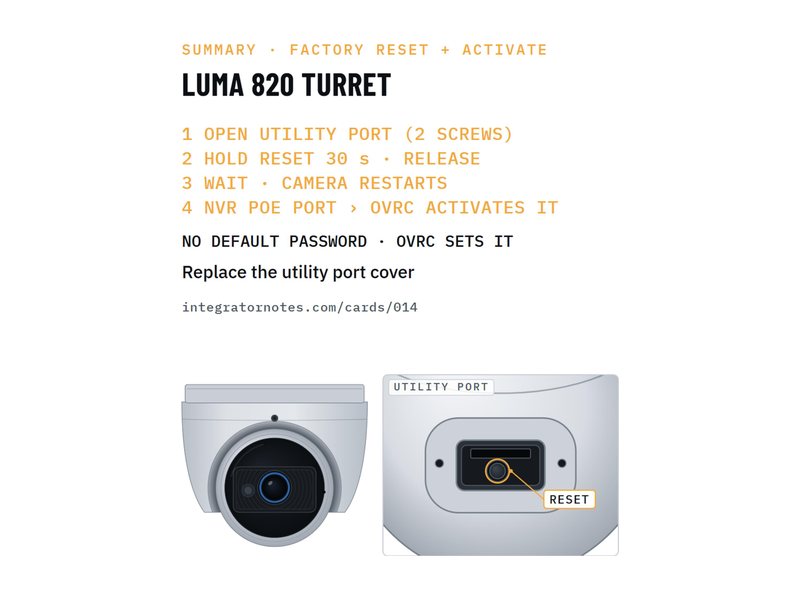
Luma x20 IP camera
Factory reset and activate on the NVR / OvrC
- OPEN UTILITY PORT (2 SCREWS)
- HOLD RESET 30 s · RELEASE
- WAIT · CAMERA RESTARTS
- 1 more step
Bench check pending -
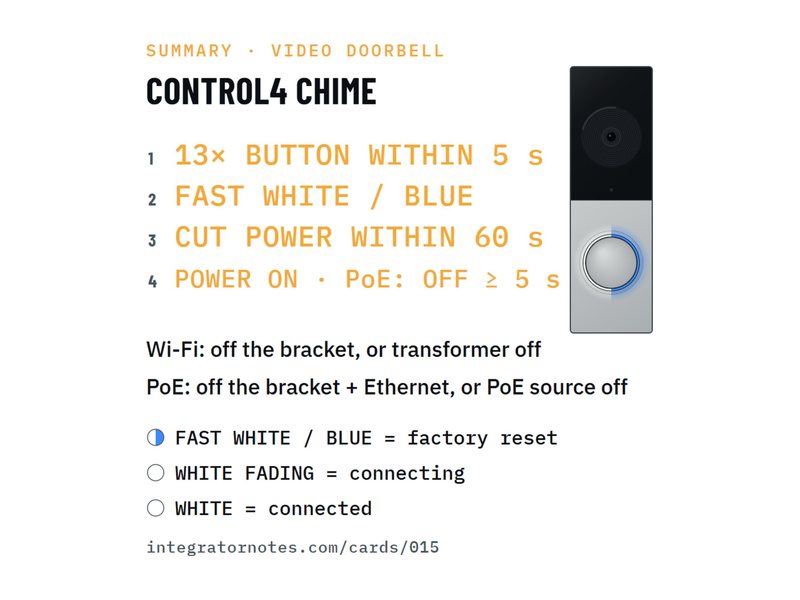
Chime video doorbell
Factory reset (13× in 5 s) — no Composer needed
- 13× BUTTON WITHIN 5 s
- FAST WHITE / BLUE
- CUT POWER WITHIN 60 s
- 1 more step
Bench check pending -
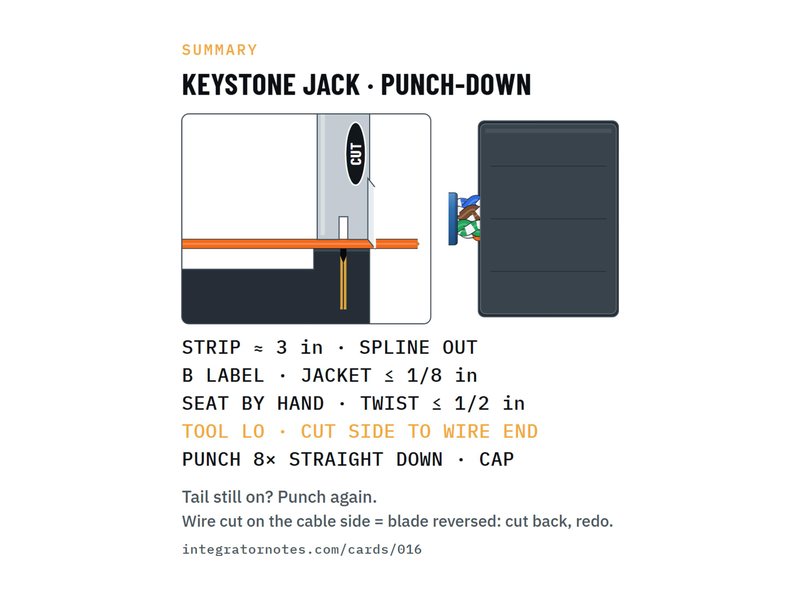
Leviton Cat6 keystone (61110)
Punch down without cutting the wire
- STRIP ≈ 3 in · SPLINE OUT
- B LABEL · JACKET ≤ 1/8 in
- SEAT BY HAND · TWIST ≤ 1/2 in
- 2 more steps
Bench check pending -
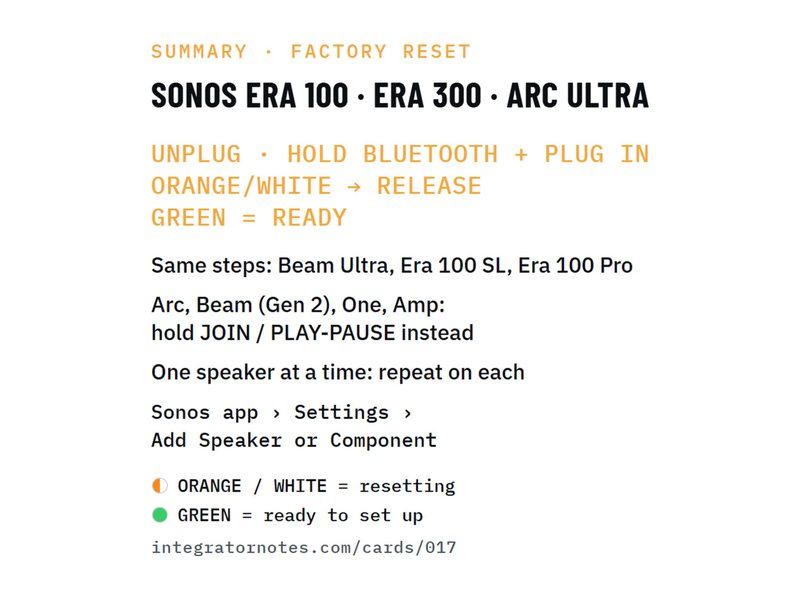
Era 100 · Era 300 · Arc Ultra
Factory reset (hold Bluetooth while plugging in)
- UNPLUG · HOLD BLUETOOTH + PLUG IN
- ORANGE/WHITE → RELEASE
- GREEN = READY
Bench check pending -
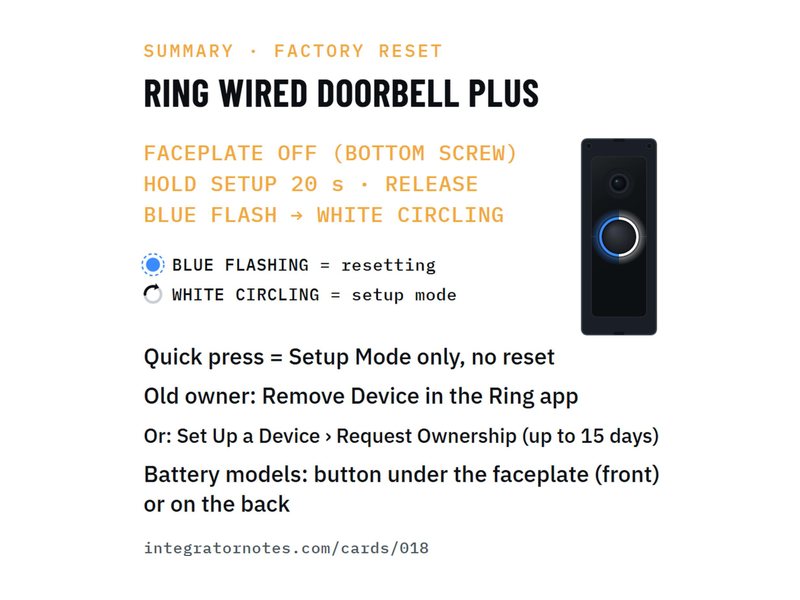
Ring Wired Doorbell Plus
Factory reset (hold setup 20 s) — and free the old owner's account
- FACEPLATE OFF (BOTTOM SCREW)
- HOLD SETUP 20 s · RELEASE
- BLUE FLASH → WHITE CIRCLING
Bench check pending -
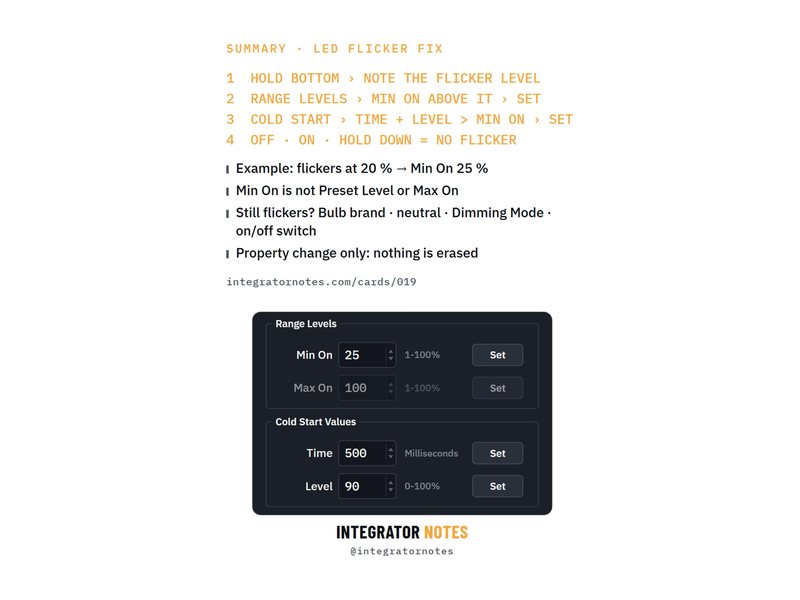
Adaptive phase dimmer (C4-APD120)
LEDs flickering? Set Min On and Cold Start in Composer
- HOLD BOTTOM › NOTE THE FLICKER LEVEL
- RANGE LEVELS › MIN ON ABOVE IT › SET
- COLD START › TIME + LEVEL > MIN ON › SET
- 1 more step
Bench check pending -
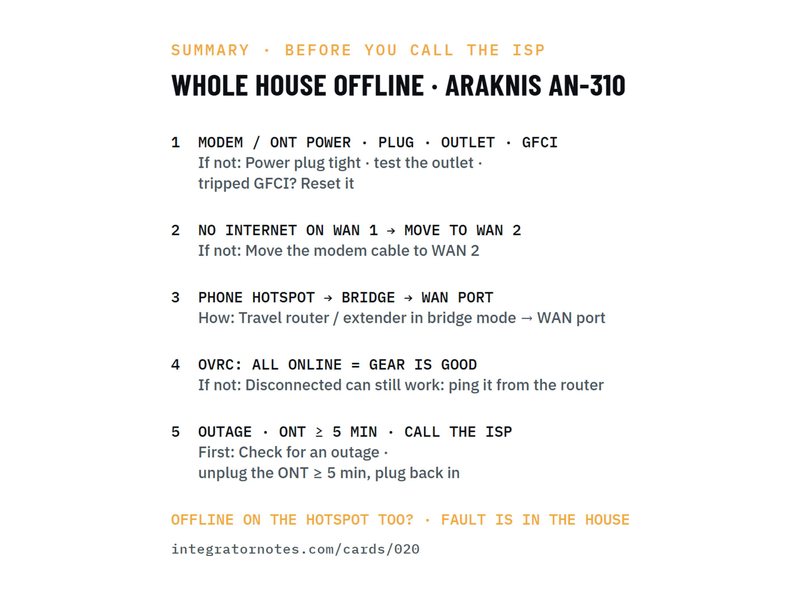
AN-310 router + modem / ONT + OvrC
Whole house offline after a storm? 5 checks before you call the ISP
- MODEM / ONT POWER · PLUG · OUTLET · GFCI
- NO INTERNET ON WAN 1 → MOVE TO WAN 2
- PHONE HOTSPOT → BRIDGE → WAN PORT
- 2 more steps
Bench check pending -
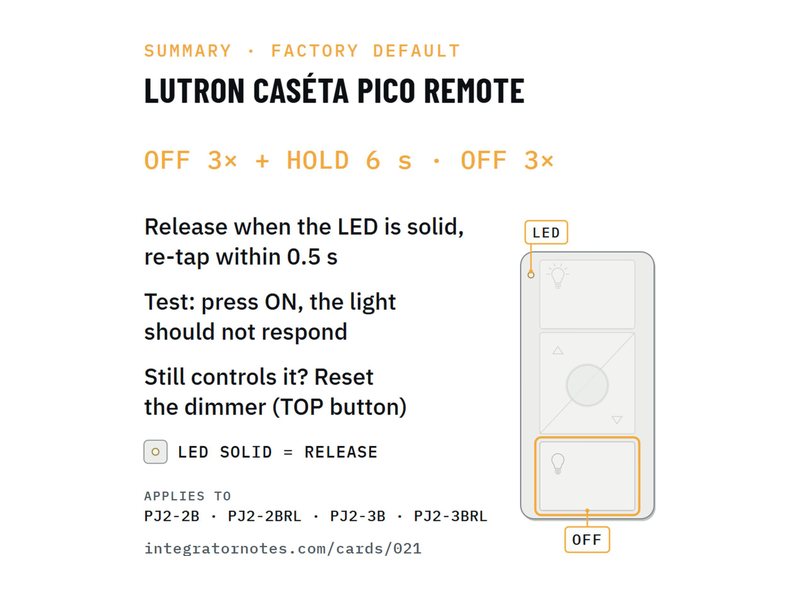
Caséta Pico remote (PJ2)
Pico still paired? Factory default (OFF 3× + hold 6 s · OFF 3×)
- OFF 3× + HOLD 6 s
- OFF 3×
Bench check pending -
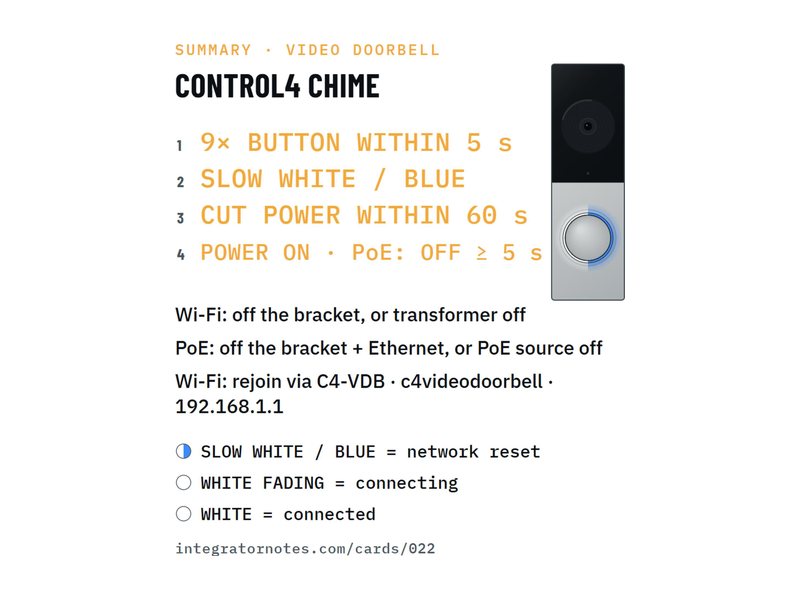
Chime video doorbell
Network reset (9× in 5 s) — no factory reset
- 9× BUTTON WITHIN 5 s
- SLOW WHITE / BLUE
- CUT POWER WITHIN 60 s
- 1 more step
Bench check pending
Checked on real hardware before it's final
Every procedure is built from the manufacturer's documentation and dealer sources, then run on a real device on the bench. Until that bench check is done, the card says so.
- Verified
Run on the bench on the named device and firmware. The card carries the device and date.
- Bench check pending
Written from official documentation and dealer sources, not yet run on our bench. Confirm on your hardware before a reset you can't undo.