Integrator Notes
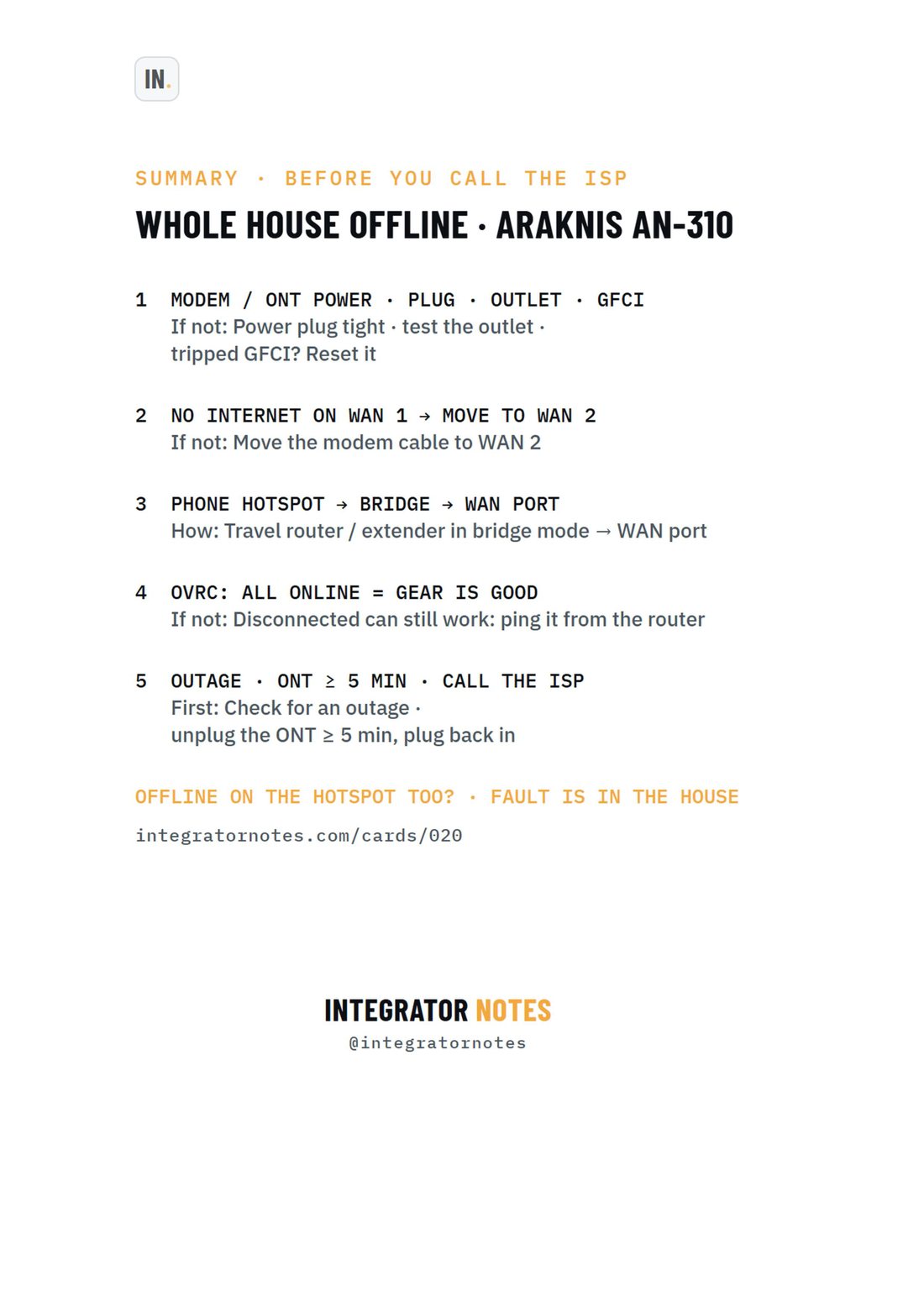
Field card 020, AN-310 router + modem / ONT + OvrC: MODEM / ONT POWER · PLUG · OUTLET · GFCI, NO INTERNET ON WAN 1 → MOVE TO WAN 2, PHONE HOTSPOT → BRIDGE → WAN PORT, OVRC: ALL ONLINE = GEAR IS GOOD, OUTAGE · ONT ≥ 5 MIN · CALL THE ISP
A4 · PDF · prints in black and white Open full size
AraknisTroubleshootingCard 020

Araknis AN-310 router + modem / ONT + OvrC

Whole house offline after a storm? 5 checks before you call the ISP

Bench check pending

Written from official documentation and dealer sources, not yet run on our bench. Confirm on your hardware before you rely on it on a job.

The sequence

  1. MODEM / ONT POWER · PLUG · OUTLET · GFCI
  2. NO INTERNET ON WAN 1 → MOVE TO WAN 2
  3. PHONE HOTSPOT → BRIDGE → WAN PORT
  4. OVRC: ALL ONLINE = GEAR IS GOOD
  5. OUTAGE · ONT ≥ 5 MIN · CALL THE ISP

More Araknis

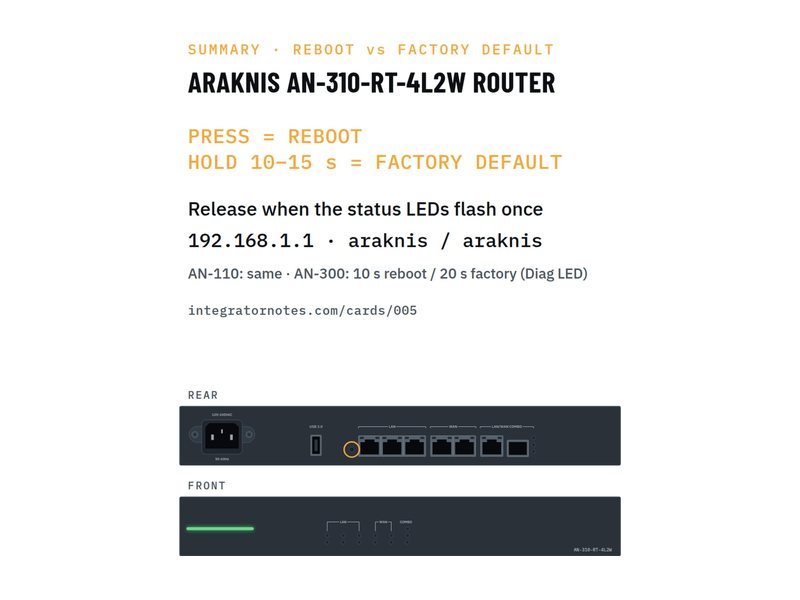
  • Field card 005: AN-310-RT router
    No. 005AraknisFactory reset

    AN-310-RT router

    Reboot vs factory default with the RESET button

    1. PRESS = REBOOT
    2. HOLD 10–15 s = FACTORY DEFAULT
    Bench check pending
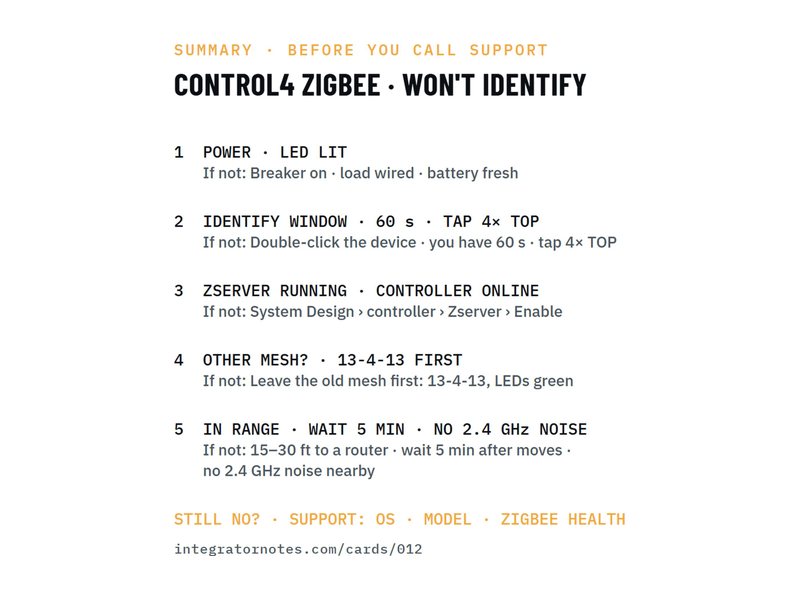
  • Field card 012: Zigbee device won't identify
    No. 012Control4Troubleshooting

    Zigbee device won't identify

    5 checks before you call support

    1. POWER · LED LIT
    2. IDENTIFY WINDOW · 60 s · TAP 4× TOP
    3. ZSERVER RUNNING · CONTROLLER ONLINE
    4. 2 more steps
    Bench check pending
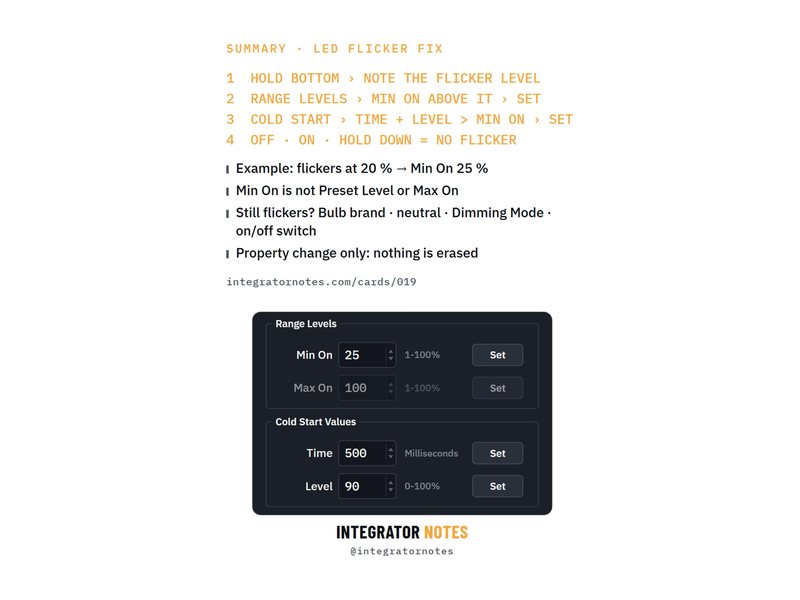
  • Field card 019: Adaptive phase dimmer (C4-APD120)
    No. 019Control4Troubleshooting

    Adaptive phase dimmer (C4-APD120)

    LEDs flickering? Set Min On and Cold Start in Composer

    1. HOLD BOTTOM › NOTE THE FLICKER LEVEL
    2. RANGE LEVELS › MIN ON ABOVE IT › SET
    3. COLD START › TIME + LEVEL > MIN ON › SET
    4. 1 more step
    Bench check pending
Download PDF