Integrator Notes
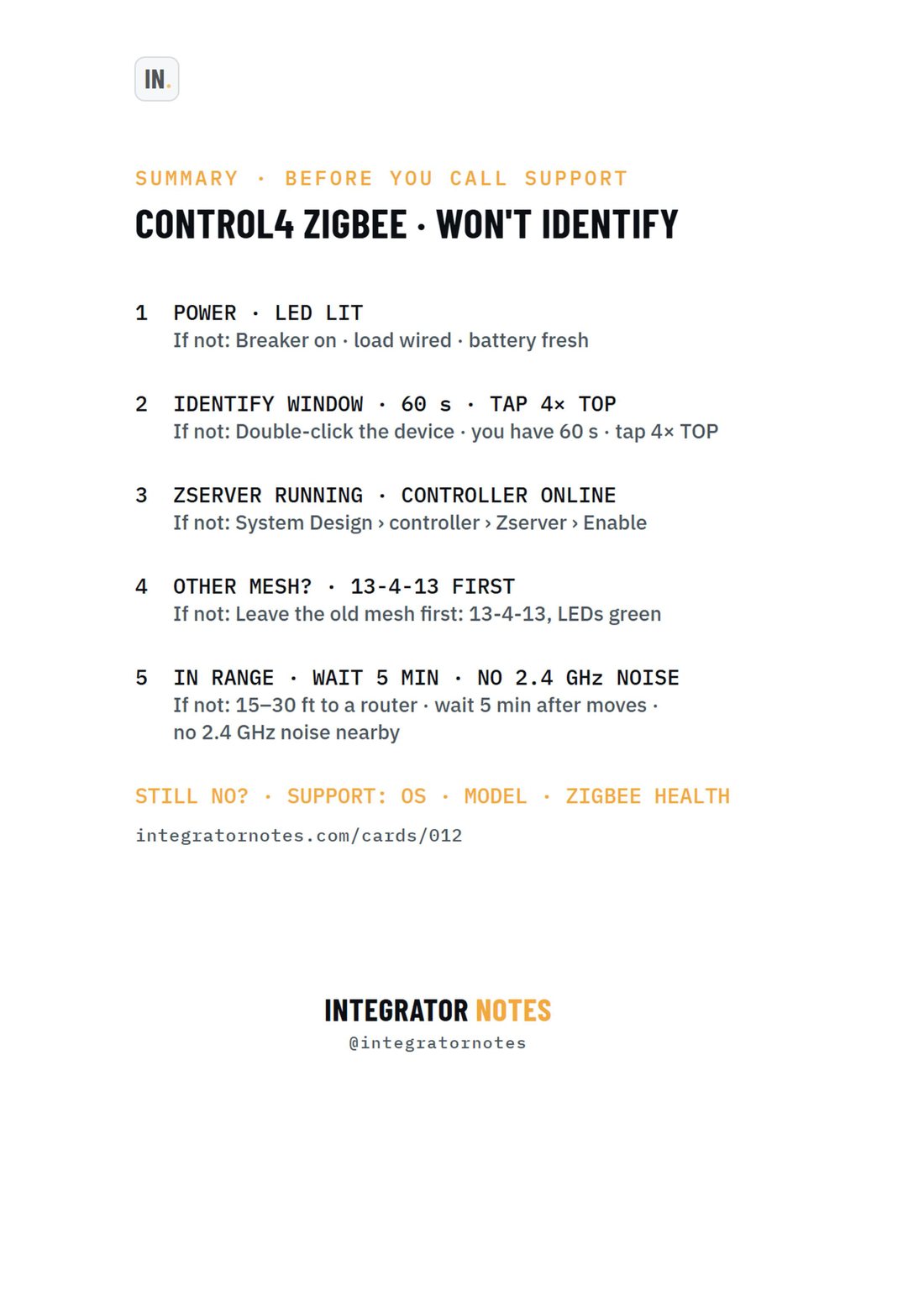
Field card 012, Zigbee device won't identify: POWER · LED LIT, IDENTIFY WINDOW · 60 s · TAP 4× TOP, ZSERVER RUNNING · CONTROLLER ONLINE, OTHER MESH? · 13-4-13 FIRST, IN RANGE · WAIT 5 MIN · NO 2.4 GHz NOISE
A4 · PDF · prints in black and white Open full size
Control4TroubleshootingCard 012

Control4 Zigbee device won't identify

5 checks before you call support

Bench check pending

Written from official documentation and dealer sources, not yet run on our bench. Confirm on your hardware before you rely on it on a job.

The sequence

  1. POWER · LED LIT
  2. IDENTIFY WINDOW · 60 s · TAP 4× TOP
  3. ZSERVER RUNNING · CONTROLLER ONLINE
  4. OTHER MESH? · 13-4-13 FIRST
  5. IN RANGE · WAIT 5 MIN · NO 2.4 GHz NOISE
More Control4

  • Field card 001: In-wall dimmer · switch · keypad
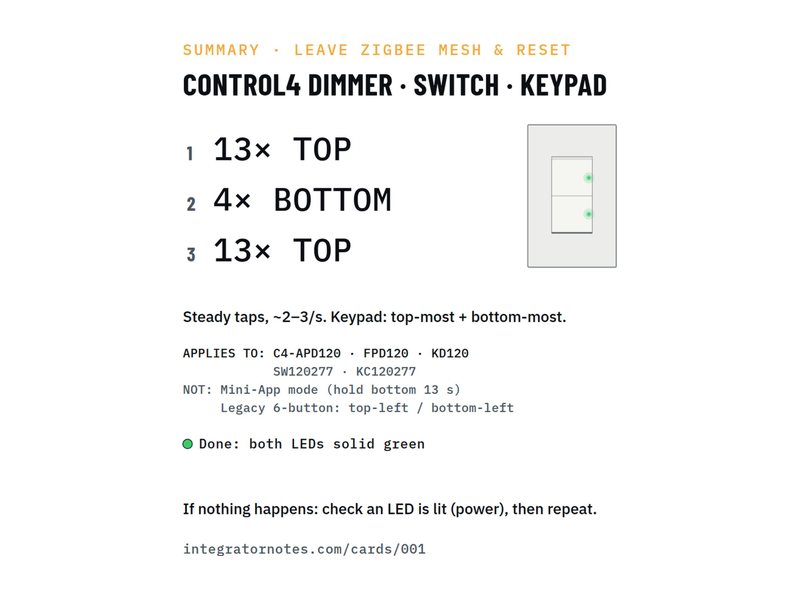
    No. 001Control4Factory reset

    In-wall dimmer · switch · keypad

    Leave the Zigbee mesh and reset (13-4-13)

    1. Tap the TOP button 13×
    2. Tap the BOTTOM button 4×
    3. Tap the TOP button 13×
    Bench check pending
  • Field card 002: In-wall dimmer · switch · keypad
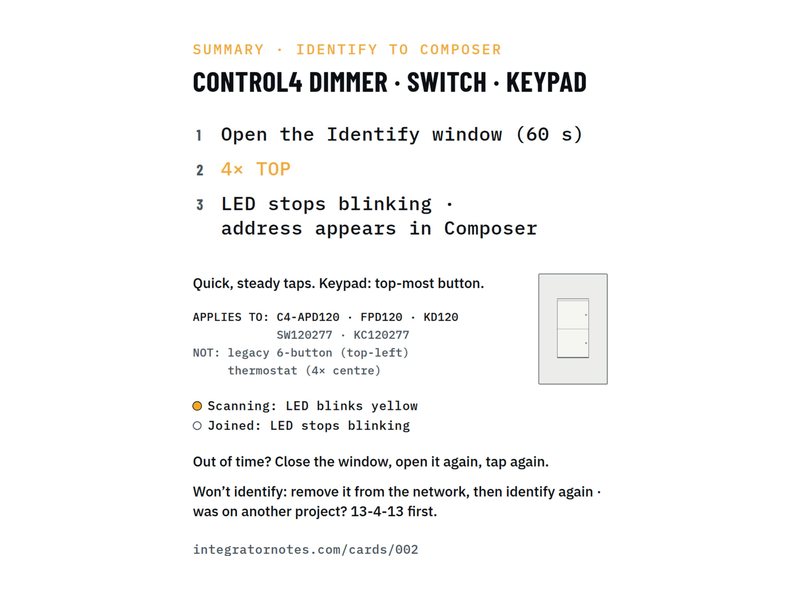
    No. 002Control4Identify

    In-wall dimmer · switch · keypad

    Identify to Composer (4× TOP)

    1. Tap the TOP button 4×
    Bench check pending
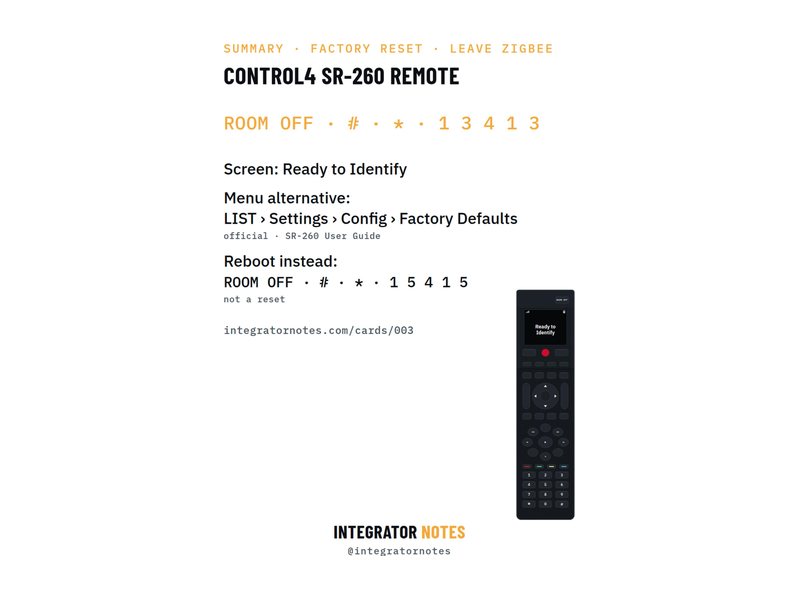
  • Field card 003: SR-260 system remote
    No. 003Control4Factory reset

    SR-260 system remote

    Factory reset and leave Zigbee

    1. Press ROOM OFF
    2. Then # and *
    3. Then 1 · 3 · 4 · 1 · 3
    Bench check pending
Download PDF